How to see which competitors AI engines recommend instead of you
Last updated 2026-11-01 · by Venu Gopal Reddy Muvva, founder · For: Founders and product marketers watching a crowded category.
To see which competitors AI engines recommend instead of you, ask the same buyer questions on each engine every day and record every brand each answer names, in order. BrandInAIAnswers keeps a leaderboard per prompt and per engine, a head-to-head view against each competitor, and the trend over time, so you can see who is gaining.
Why it matters
In AI answers there is no page two. If an engine names three tools and you are the fourth, you are invisible for that question.
Knowing who wins is half the job. Knowing why — which reviews, forums or listicles the engine read — tells you where to show up next.
Step by step in BrandInAIAnswers
1. List your competitors
When you add your brand, list the competitors you expect, with their websites. You can add or remove them later in Competitors.
2. Track buyer questions
Accept the suggested prompts or add your own. Competitor names that engines mention but you did not list still show up in each answer's brand list.
3. Read the leaderboard
Competitors ranks every brand by visibility and share of voice. Click a competitor for the head-to-head: the prompts they win, the prompts you win, and the ones you share.
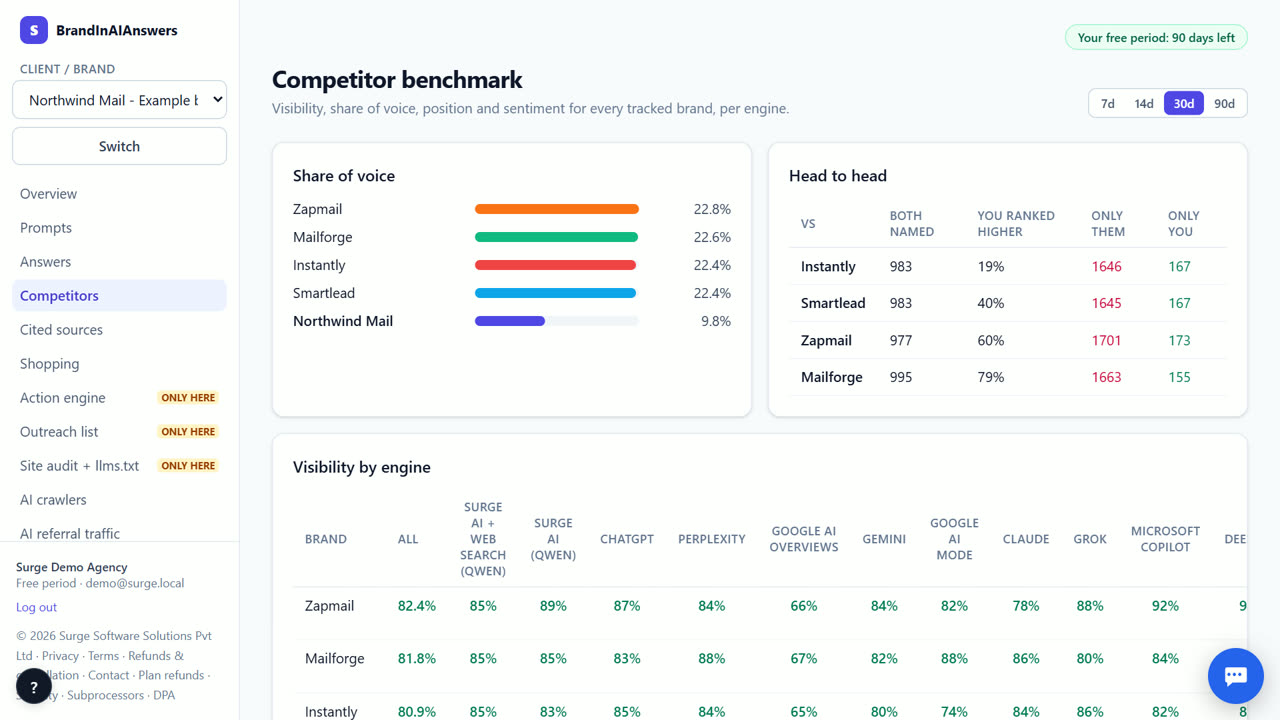
4. Check the sources behind them
Cited sources shows the pages engines read when a competitor wins: review sites, forums, news, videos, their own site. That is your outreach and content list.
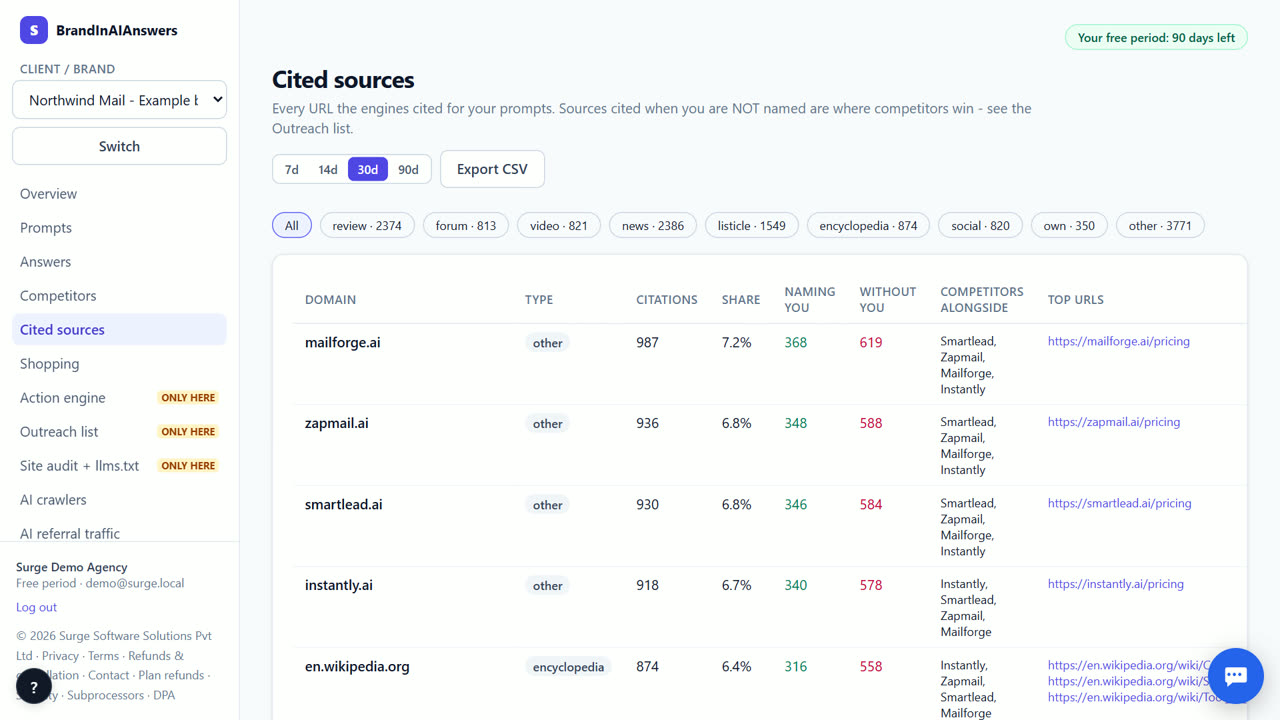
5. Set an overtake alert
In Alerts, choose "competitor overtakes you" and we notify you in the app, by webhook or by email when it happens.
What you end up with
A ranked list of the brands AI engines prefer for your category, the prompts each one owns, and the sources that put them there.
Which engines are checked today
Checked live today: Surge AI + web search (Qwen) and Surge AI (Qwen). Coming soon: ChatGPT, Perplexity, Google AI Overviews, Gemini, Google AI Mode, Claude, Grok, Microsoft Copilot, DeepSeek and Meta AI (the app shows labelled sample data until each is connected). Surge AI (Qwen) is our own open model, not ChatGPT or Gemini: without web search it shows what the model knows about your brand; Surge AI + web search answers from open web results (self-hosted search) and cites them.
What it costs
Your first 14 days are free, with every feature unlocked. Our own engines run live; paid engines (ChatGPT, Perplexity and others) are marked coming soon on /pricing and show labelled sample data until each is connected, then their live checks are included with no cap. After that you keep the Free plan for good (1 brand, 10 questions on our own engines) or pick a paid plan from ₹3,999 (about $49) a month; online payment for paid plans opens soon. Our own engines and every fix we write stay at ₹0. See exactly what things cost.
When BrandInAIAnswers is not the right tool
If you need social media or news mentions rather than AI answers, use a brand-monitoring tool; we only track what AI answer engines say. For engines marked coming soon on this page, competitor data is labelled sample data until the engine is connected.
Questions
How many competitors can I track?
As many as you need per brand. Every metric compares you with the ones you list.
Do you track brands I didn't list?
Each answer's brand list shows every brand the engine named, so new rivals show up even before you add them.
Can I compare by country?
Yes. Add extra markets to a brand and filter the dashboard by market.
Try it on your own brand.
Start free — 14 days on us