How to check whether AI crawlers can read your website
Last updated 2026-11-01 · by Venu Gopal Reddy Muvva, founder · For: Website owners and developers who want AI assistants to be able to read their pages.
To check whether AI crawlers can read your website, test your robots.txt against each AI bot's user agent, confirm that your main pages return text in the raw HTML (not only after JavaScript runs), and check for a sitemap, llms.txt and structured data. The free BrandInAIAnswers audit does all of this in one go for 17 AI crawlers, with no account, and gives you a score out of 100 and a suggested llms.txt.
Why it matters
Many sites block AI crawlers by accident, through a robots.txt rule or a bot-protection setting. A blocked crawler cannot read the page, so the assistant cannot quote it.
Pages that only show text after JavaScript runs often look empty to crawlers.
Step by step in BrandInAIAnswers
1. Open the free audit
Go to /audit. No account needed. Enter your website, brand name and category; leave an email if you want the report link sent to you.
2. Read the crawler table
Each of 17 AI bots (GPTBot, OAI-SearchBot, ClaudeBot, PerplexityBot, Google-Extended and more) is checked against your robots.txt: allowed or blocked.
3. Fix the checks marked fix
The report flags a missing sitemap or llms.txt, missing JSON-LD, missing meta tags, noindex tags and JavaScript-only pages.
4. Publish the suggested llms.txt
Copy the generated llms.txt and publish it at your site root, then run the audit again.
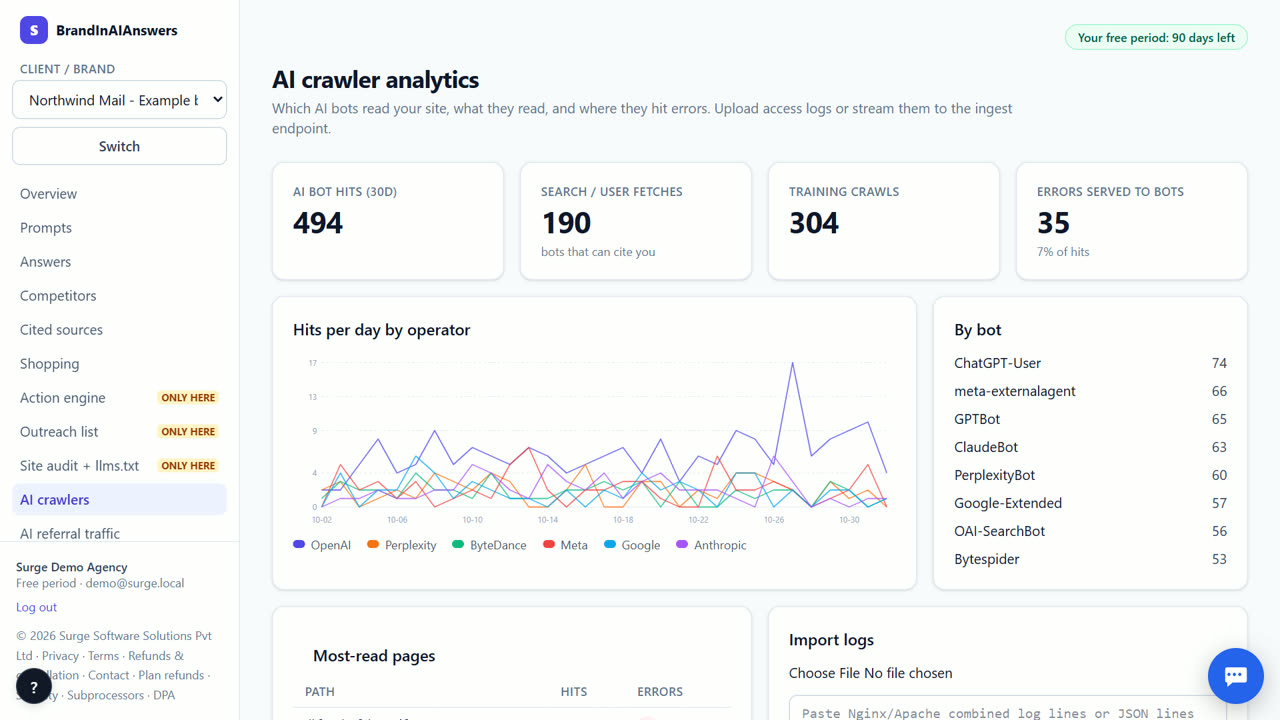
5. Watch real crawler visits
After sign-up, upload a server log or use the log drain to see which AI bots actually visit, how often, and which pages they read.
What you end up with
A score out of 100, the list of AI crawlers you block, the fixes to make, and a ready llms.txt.
Which engines are checked today
Checked live today: Surge AI + web search (Qwen) and Surge AI (Qwen). Coming soon: ChatGPT, Perplexity, Google AI Overviews, Gemini, Google AI Mode, Claude, Grok, Microsoft Copilot, DeepSeek and Meta AI (the app shows labelled sample data until each is connected). Surge AI (Qwen) is our own open model, not ChatGPT or Gemini: without web search it shows what the model knows about your brand; Surge AI + web search answers from open web results (self-hosted search) and cites them.
What it costs
Your first 14 days are free, with every feature unlocked. Our own engines run live; paid engines (ChatGPT, Perplexity and others) are marked coming soon on /pricing and show labelled sample data until each is connected, then their live checks are included with no cap. After that you keep the Free plan for good (1 brand, 10 questions on our own engines) or pick a paid plan from ₹3,999 (about $49) a month; online payment for paid plans opens soon. Our own engines and every fix we write stay at ₹0. See exactly what things cost.
When BrandInAIAnswers is not the right tool
The audit checks access and readability; it does not prove an engine will mention you. If your problem is that engines read you but name competitors, track prompts and use the action engine instead.
Questions
Is the audit really free?
Yes, with no account. The answers in the report are real, from our own AI with web search (not ChatGPT or Gemini); ChatGPT and Perplexity checks are coming soon.
Should I allow every AI crawler?
That is your decision. The audit shows which ones you block so you can choose on purpose.
What is llms.txt?
A plain-text file at your site root that lists your key pages for AI assistants.
Try it on your own brand.
Start free — 14 days on us